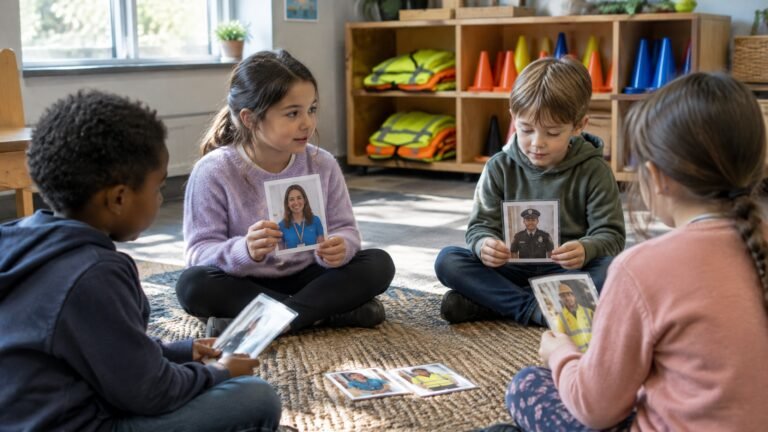
A friend request from someone who says they go to the school across town. A gaming “teammate” offering free credits. A new contact who calls her special and asks her to keep their chats private. Middle school is when many students get more independence online, and it is also when the risks become more serious. Teaching online safety in middle school works best when it reflects where students actually spend their time and the kinds of pressure they really face.
This post focuses on grades 6-8 and on two topics many counselors find hard to raise: grooming and sextortion. We cover how to talk about them calmly and age-appropriately, and how to give every student a clear plan. For a broader K-12 overview of private information, digital footprints and cyberbullying, start with our guide to internet safety activities for students.
Why Middle School Is a Turning Point Online
Between grades 6 and 8, many students get their own phone or accounts, join group chats, and play online games with voice chat and strangers. They are also at an age where belonging, attention and approval feel especially important. That combination makes them more likely to trust someone who seems friendly, and less likely to tell an adult when something goes wrong, often because they are worried about getting in trouble or losing their device.
The most protective message we can give middle schoolers is simple: if something online feels wrong, you can tell a trusted adult, even if you have already shared something or broken a rule. Every activity below comes back to that message.
What Boys and Girls Face Differently Online
Any student can face any of these risks, and it is important not to suggest otherwise. Still, many counselors notice that boys and girls often run into trouble in different spaces, which shapes how we teach. Boys often spend more of their social time in online games and voice chat, while many girls describe more of their pressure happening in DMs, group chats and on social media.
| Where it happens | What it can look like | What to teach |
|---|---|---|
| Gaming chats and voice chat | A friendly “teammate” offers free credits or skins, then asks to move to a private app | Gifts and secrecy are red flags; keep game chats in the game |
| DMs and social media | A new contact says they are the same age, gives lots of compliments and quickly calls the friendship special | Fast closeness from someone you haven’t met in person is a reason to slow down |
| Group chats | Screenshots shared to embarrass someone, pressure to join in | Don’t forward it; save it and tell an adult |
| Friendships | A friend asks for your password to “prove” trust, or for your live location | Passwords and location are private, even with close friends |
Teaching the Red Flags of Grooming
Grooming is when someone builds trust with a young person in order to exploit them. Middle schoolers do not need frightening detail. They need to recognize the pattern. The National Center for Missing and Exploited Children (NCMEC) describes tactics offenders use online, including false identities or pretending to be younger, moving quickly to ask for images, moving conversations to private messaging or video apps, building a friendship or romantic relationship, and offering a trade such as “I’ll show you, if you show me” (NCMEC).
We teach these as a short list of red flags students can remember:
- Someone you haven’t met in person asks you to keep your chats secret.
- They want to move to a different app or a private chat.
- They give you gifts, credits or lots of compliments very quickly.
- They ask for photos, or ask personal questions that make you uncomfortable.
- They try to come between you and your parents or friends.
Activity: Red Flag or Green Flag?
Read short chat messages aloud or show them on cards, such as “What school do you go to?”, “Good game, want to play again tomorrow?”, “Don’t tell your parents about me, they won’t get it” and “Can we switch to another app? It’s more private.” Students decide whether each one is a red flag, a green flag or a “slow down” and explain why. Close by asking, “What would you do if you saw a red flag?”
Try this in your next group: Picture a student who says, “But he’s really nice, and he’s my age.” Rather than arguing, ask, “How do you know how old he is? What would a real friend your age be okay with you telling your parents?” Questions like these help students think it through for themselves.
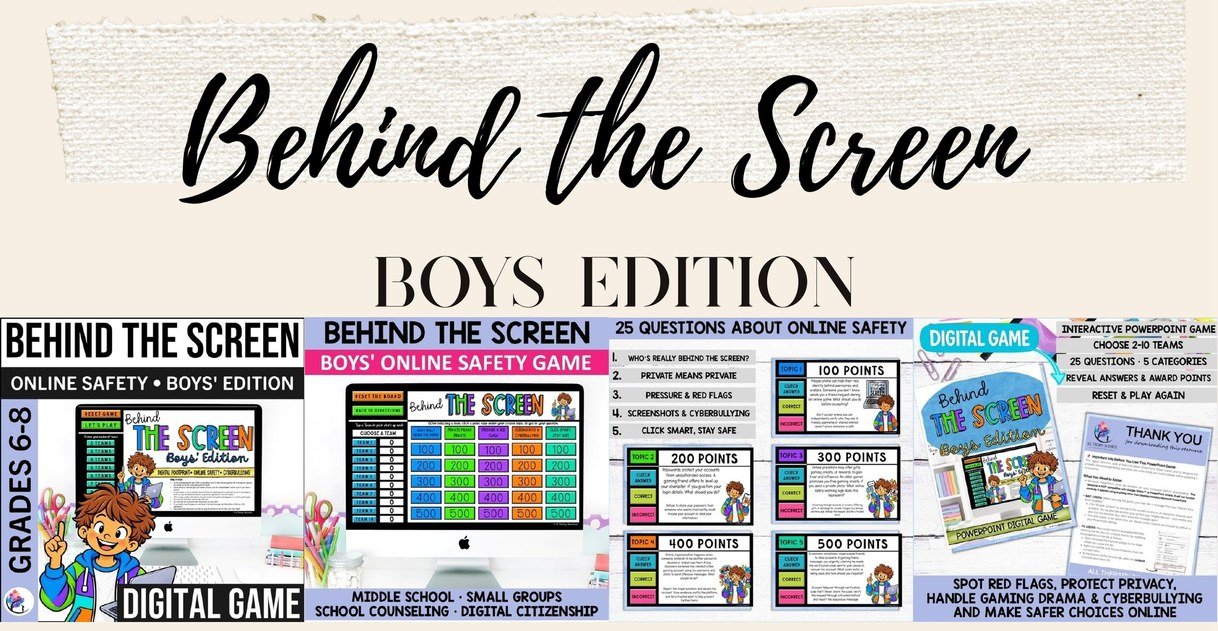
Our Behind the Screen Internet Safety Game for Boys is made for boys in grades 6-8 and uses situations they recognize: a friend request from someone they don’t know, a gamer offering free credits, an online “mate” who says not to tell their parents, a hacked account and threats to share private information. Its 25 questions cover five categories, from Who’s Really Behind the Screen? to Pressure and Red Flags, and every answer comes with a teaching point. The message stays the same throughout: stop, save the messages and tell a trusted adult.
Talking About Sextortion Calmly
Sextortion is when someone threatens to share a young person’s private images unless they send more images or money. It is frightening for students, and fear and shame are what keep them silent. The FBI has warned about schemes targeting teenage boys in particular, often by people posing as girls on games, apps and social media who then demand money (FBI). Girls are targeted too, so every student needs the same plan.
Keep the language simple and calm, and put the blame where it belongs. NCMEC’s guidance is clear: the blackmailer is to blame, not the young person, and paying or cooperating rarely stops the blackmail (NCMEC). A short script you can use: “If anyone ever threatens to share something private about you, it is not your fault, and you are not alone. Don’t pay and don’t send anything else. Come and tell me or another adult you trust, and we will help you.”
Activity: Stop, Save, Tell, Report
Give each student a small card with four steps, and practice what each one means:
- Stop: stop replying and don’t send money or more images.
- Save: block the account, but don’t delete the messages or your profile, because they can help adults stop the person.
- Tell: tell a trusted adult right away, even if you already shared something.
- Report: an adult can help you report it to the platform and to NCMEC’s CyberTipline. NCMEC’s Take It Down service can help get images of young people removed from participating platforms.
Ask students to write the names of two trusted adults on the back of the card, one at school and one outside school.
If a student tells you about grooming, sextortion or online abuse: stay calm, listen and thank them for telling you. Don’t promise to keep it a secret, and don’t ask them to show or forward images. Follow your school or district child protection protocol and your mandated reporting obligations.
USA: NCMEC CyberTipline report.cybertip.org or 1-800-843-5678 (1-800-THE-LOST); Childhelp National Child Abuse Hotline 1-800-422-4453; 988 Suicide & Crisis Lifeline (call or text 988, chat at 988lifeline.org); in an emergency, call 911.
Australia: eSafety Commissioner (dealing with sexual extortion); Kids Helpline 1800 55 1800; Lifeline 13 11 14 (text 0477 13 11 14); your state or territory child protection service; in an emergency, call 000.
Privacy, Passwords and Pressure in Friendships
Not all online risk comes from strangers. Middle schoolers also feel pressure from friends and crushes: sharing passwords to “prove” trust, turning on location sharing, or sending photos to stay included. Help students see that a real friend respects a no.
Activity: Private Means Private
Give pairs a list of things people share online: a password, a funny video, their school name, their live location, a selfie in their school uniform, their gaming username. Pairs sort them into “fine to share,” “only with people I know in real life” and “private, even with friends.” Then practice a friendly no: “I don’t share passwords with anyone, it’s not about you.” “I keep my location off, but text me when you’re there.”
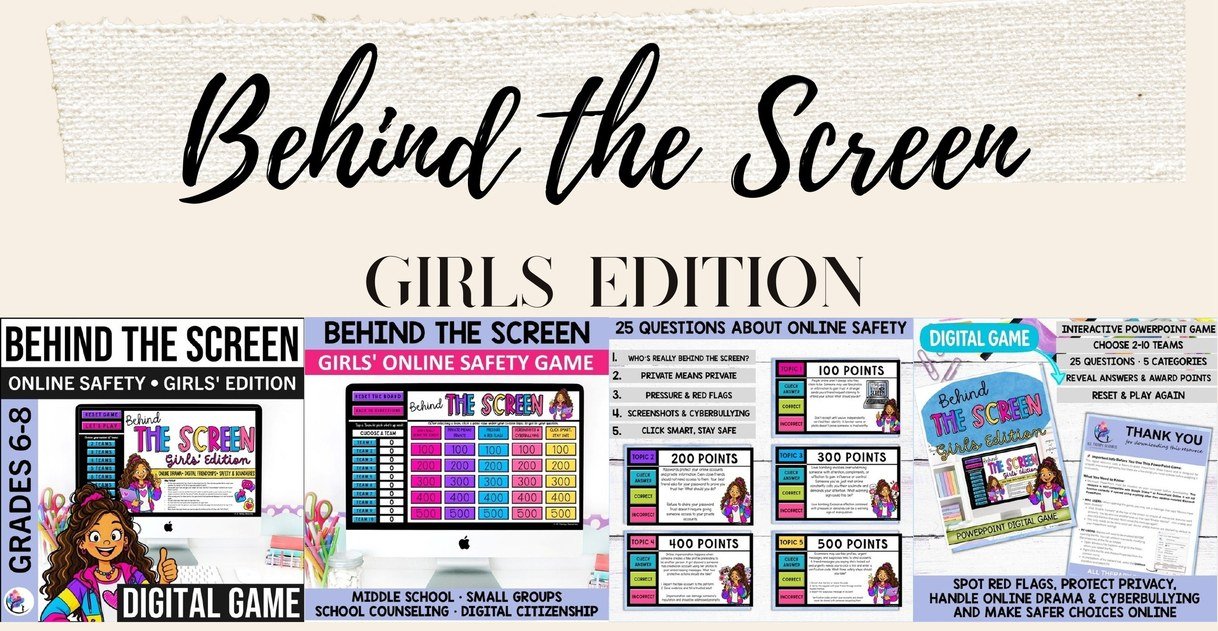
Our Behind the Screen Internet Safety Game for Girls works through situations girls in grades 6-8 know well: a friend request from someone claiming to go to their school, a best friend asking for their password, posts that show their school and live location, a new contact who keeps calling them their soulmate, and threats to share private messages. It covers catfishing, love bombing and sextortion in a calm, age-appropriate way, with a teaching point for every answer, and it fits well in girls’ groups, SEL lessons and digital citizenship classes.
Separate Groups or a Mixed Class?
Both can work. Separate boys’ and girls’ groups can make it easier to talk about the specific spaces and pressures each group describes, and some students speak more openly that way. Mixed classes help everyone hear that these risks affect all students. Many counselors use both: separate groups first, then a whole-class discussion comparing what each group noticed.
Our Internet Safety Bundle includes both editions of Behind the Screen for grades 6-8. Both games cover the same five topics, so you can teach one consistent message in a way that feels real to each group. Play one edition with each group and then bring everyone together, or use one edition one week and the other the next in a whole-class lesson. It also works well for digital citizenship weeks, or after an online incident at school, to open up the conversation without pointing at anyone.
Partnering With Families
Families are a key part of online safety. Encourage parents and caregivers to talk with their child before something happens, and to make it clear that their child won’t be punished for coming to them about something that went wrong online. A calm response at home makes it more likely students will tell an adult next time. Our online safety parent handout gives families practical, easy-to-read guidance you can send home after your lessons.
Frequently Asked Questions
Is it appropriate to teach middle schoolers about sextortion?
Yes, when it is done calmly and without graphic detail. Students in this age group are using the apps and games where it happens. Focus on red flags, the fact that it is never the young person’s fault, and a clear plan: stop, save, tell a trusted adult and report.
What are the most important online safety rules for middle school students?
Keep personal information private, be cautious of people you haven’t met in person, treat secrecy and fast closeness as red flags, don’t forward hurtful content, and tell a trusted adult if something feels wrong, even if you have already shared something.
What should I do if a student says they are being blackmailed online?
Stay calm and reassure them that it is not their fault. Don’t ask them to show you images. Follow your school’s child protection protocol and mandated reporting obligations, help them keep the messages, and report to NCMEC’s CyberTipline. Involve families as your protocol directs.
Should online safety be taught in separate boys’ and girls’ groups?
It can help, because boys and girls often describe pressure in different online spaces. Make sure every student also hears that any of these risks can affect anyone, and that the same safety plan applies to everyone.
Looking for practical, ready-to-use resources to support your online safety and digital citizenship lessons? The All Therapy Resources Membership provides access to a growing collection of thoughtfully developed counseling activities, interactive games, and therapeutic tools designed to save preparation time while supporting meaningful, skill-focused learning.